

 Menu
Menu





Assessment Feedback Through Kolbe Engage
At Kolbe Catholic College, we value timely and meaningful feedback as an important part of the learning process. This allows students to take informed steps for further improvement. Families can stay informed about their child's progress and support their child’s growth by regularly checking assessment results and feedback through Kolbe Engage.
Assessment feedback is shared in a variety of ways, including:
- Through Kolbe Engage as soon as teachers publish assessment results.
- On many hard-copy assessment tasks returned to students.
- Within Semester Reports, where achievement and progress are summarised.
One of the advantages of Kolbe Engage is that families can access assessment information immediately after it becomes available. This allows parents and carers to engage in ongoing conversations about learning throughout the semester rather than waiting for formal reporting periods.
Information available through Kolbe Engage includes:
- Assessment grades
- Teacher feedback and comments
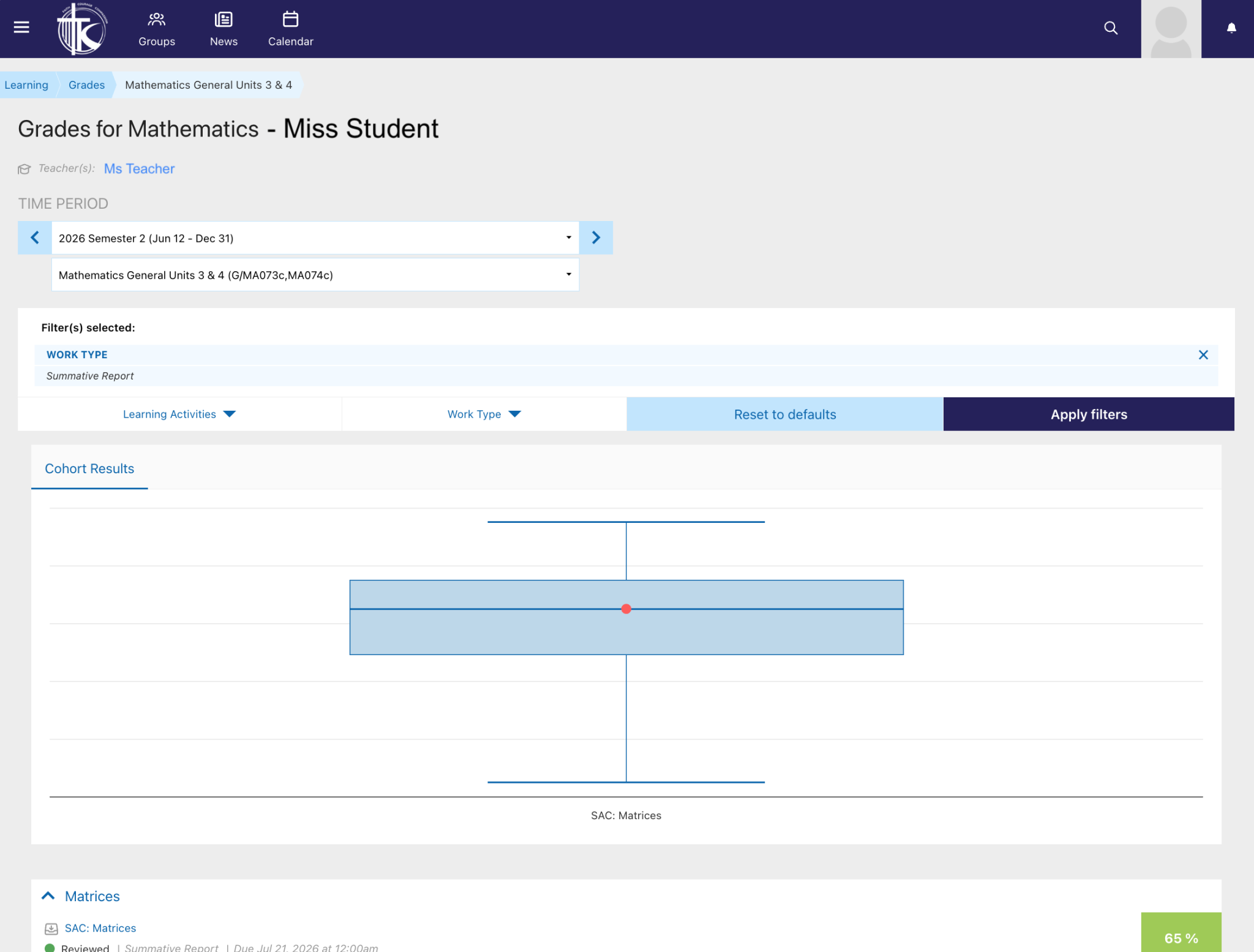
- A comparison of student performance against the cohort for that task, providing valuable context about achievement
- A copy of student work where electronic submissions are taken
We encourage all families to regularly access Kolbe Engage and use the feedback provided to celebrate successes, discuss learning goals, and support their child's continued growth.
Instructions on how to access assessment grades through Kolbe Engage are included below.
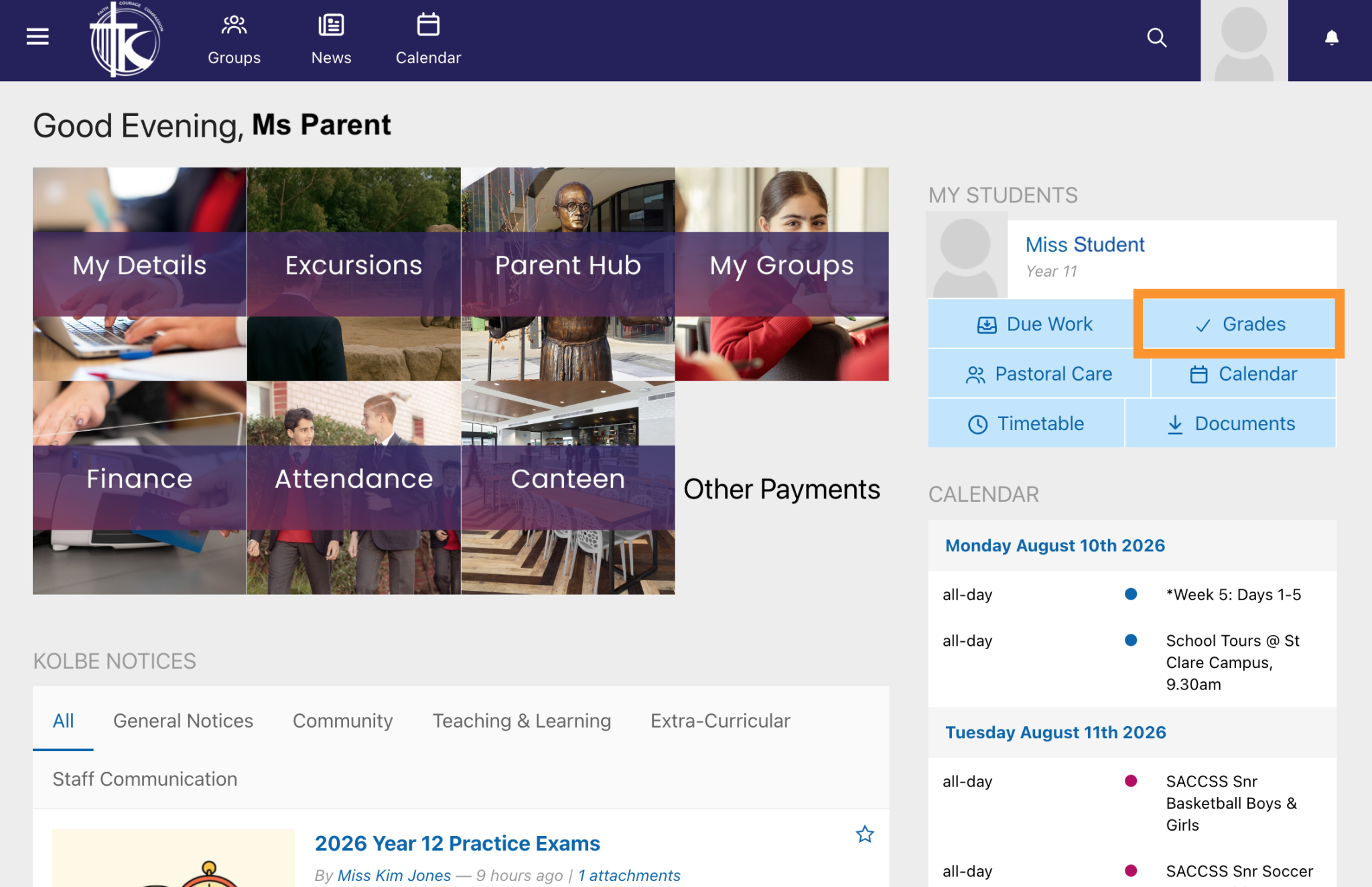
From the Kolbe Engage Dashboard, select ‘Grades’ under your child's name and profile image.
The My Students section on Kolbe Engage on a mobile device can be found by scrolling past the Notices.
View either all assessment results or select a subject to view more detailed information including teacher comments and a cohort comparison for selected tasks.
Adam Gonzalez
Deputy Principal - Learning and Teaching
- From the Acting Principal
- Deputy Principal: Learning and Teaching
- Deputy Principal: Operations
- Breaking New Ground
- Dux Honoured With Premier's VCE Award
- A Feast of Faith and Fun
- Stepping Up for Change
- Jingle and Mingle
- MACS Care - Child Safe Standards
- MACS Policy Updates
- Raising the Bar
- Glitz and Glamour
- Smooth Transition
- Brewing Connection
- Stepping Up
- Year 10 Dinner
- An Italian Adventure in Carlton
- Keeping our Community Safe
- Celebrating Language, Culture and Community
- Staying Connected Through Kolbe Engage
- Wellbeing Messages
- Backstage Buzz - Performing Arts Update
- Careers Update
- Year 7 St Catherine of Bologna Campus
- Strong Lessons, Strong Leaders


